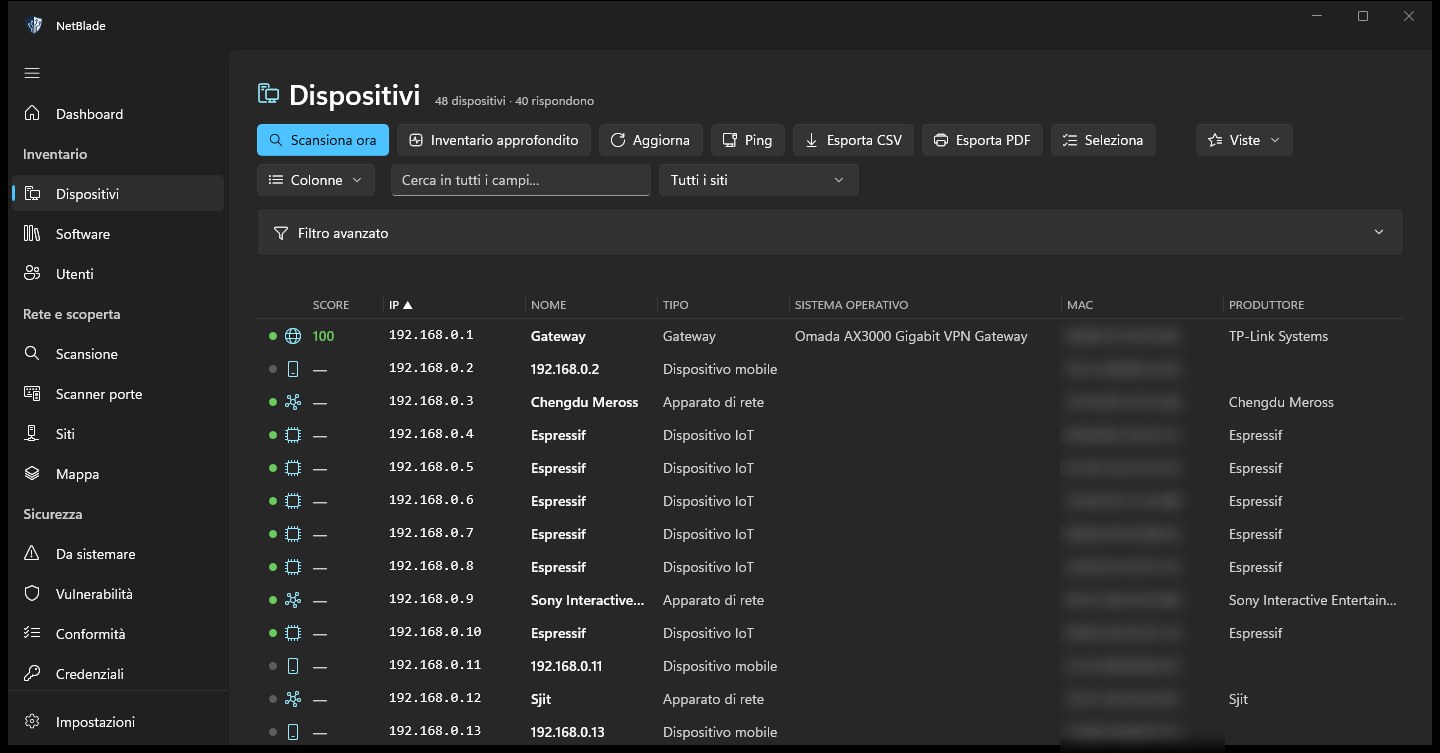
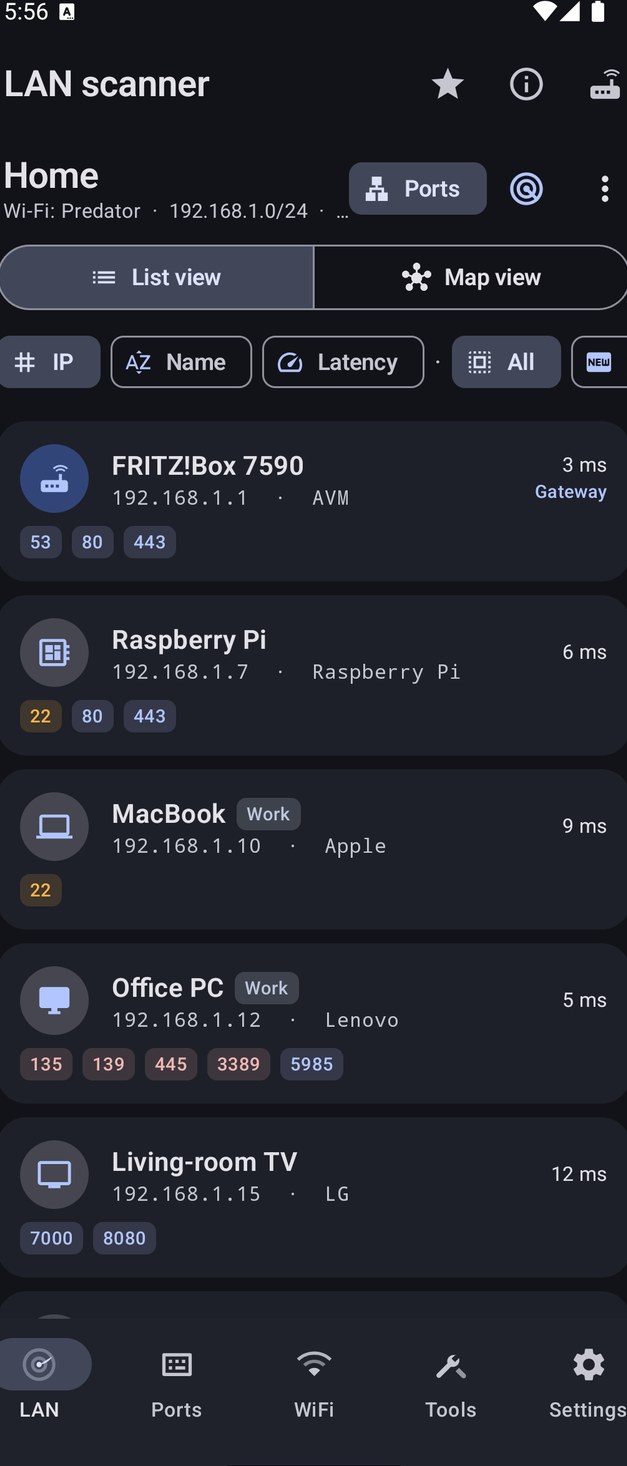
Who is there, in seconds
Every device with name, address, vendor and type. Newcomers get a NEW badge, and phones' random MACs are recognised.
NetBlade finds everything connected to your network, tells you what it exposes and what to fix first, and writes the report. In your pocket, or on your desk.
From the phone that walks into the office to the flaw in one program's version: NetBlade lines up what is there, what it exposes and what to fix first.
Every device with name, address, vendor and type. Newcomers get a NEW badge, and phones' random MACs are recognised.
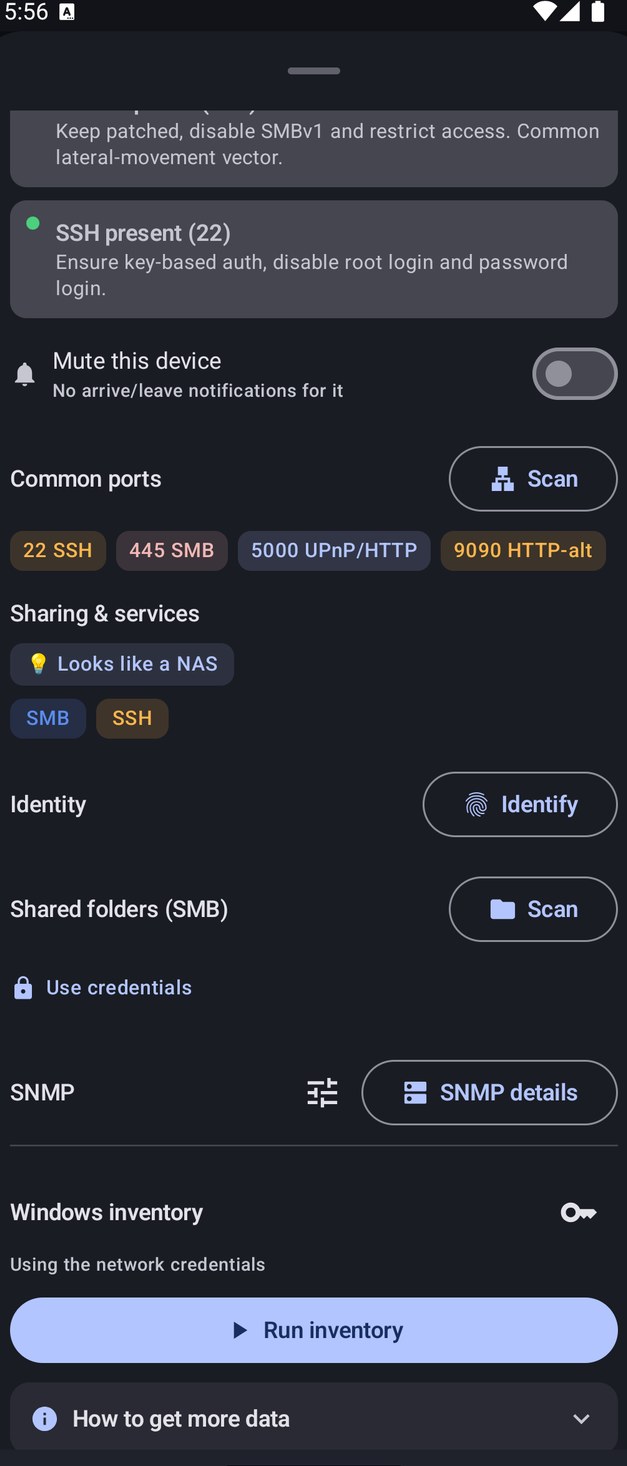
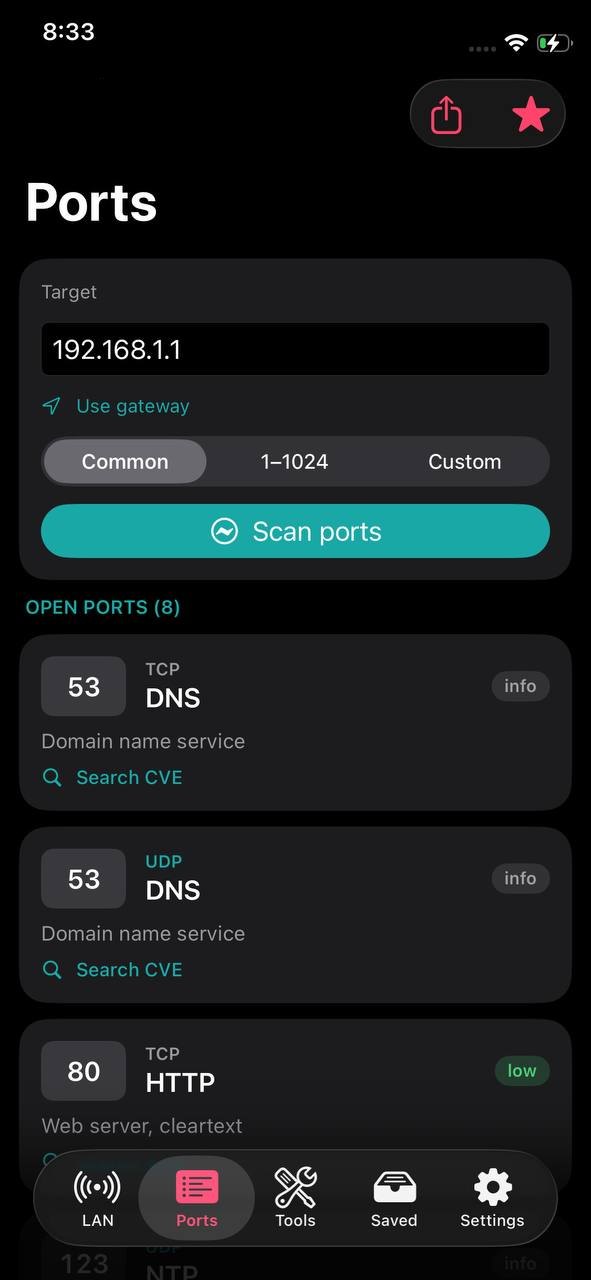
The common ports or all 65,535, TCP and UDP, with the service, the banner and a score that says why.
The right program at the right version, not a keyword. On Windows, what is being exploited right now goes to the top.
Hardware, programs, updates and defences — antivirus, firewall, BitLocker, TPM — read remotely with your credentials.
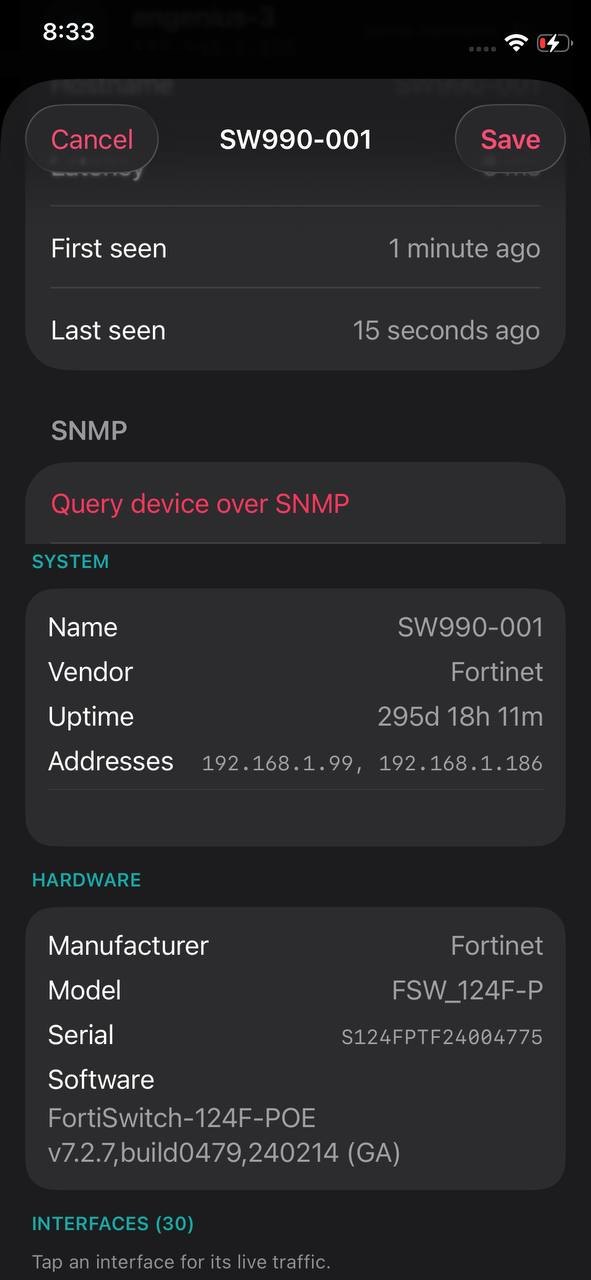
Over SNMP v1, v2c and v3: model, serial, firmware, interfaces, and the whole network's MACs asked from the router.
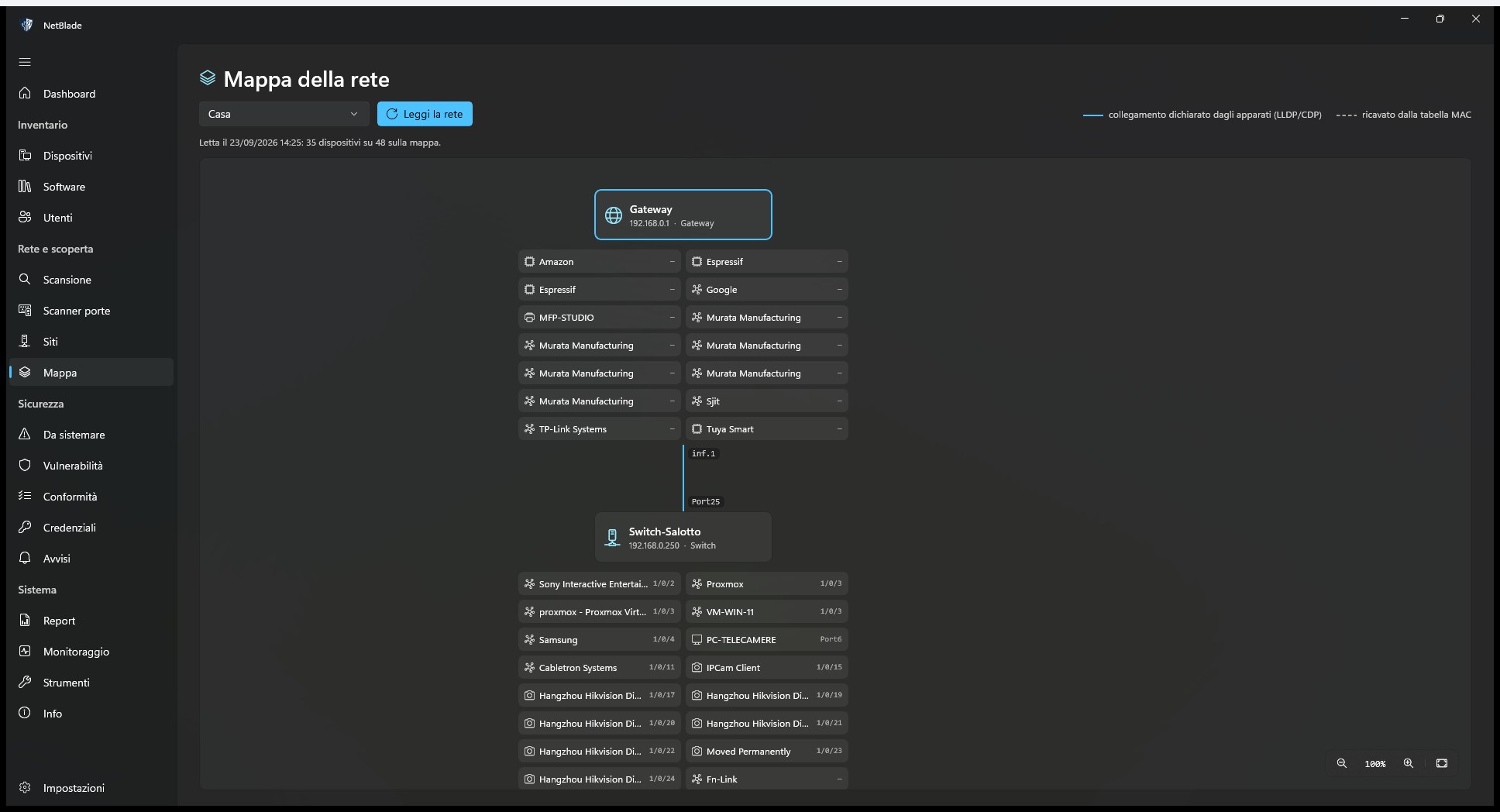
The map rebuilt from LLDP, CDP and the switches' MAC tables: who is plugged into which port.
On Windows, eight ready-made reports in PDF and CSV with your logo, emailed automatically every week or month.
A camera that disappears, a new open port, a defence turned off, an exploited vulnerability: on Android and Windows you get the alert.
Not one app copied three times: each does what its system lets it do well, and says plainly what it cannot.
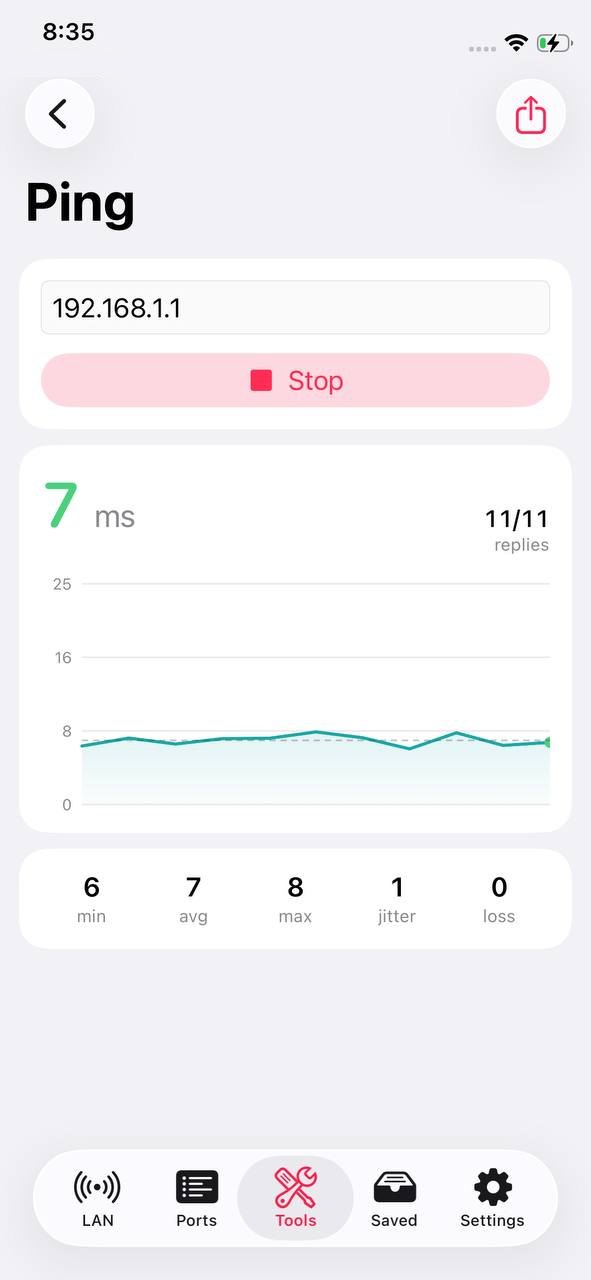
The most complete scanner: network, ports, Wi‑Fi analyzer, SSH and file transfer, over twenty-five tools. It keeps an eye on saved networks in the background too.
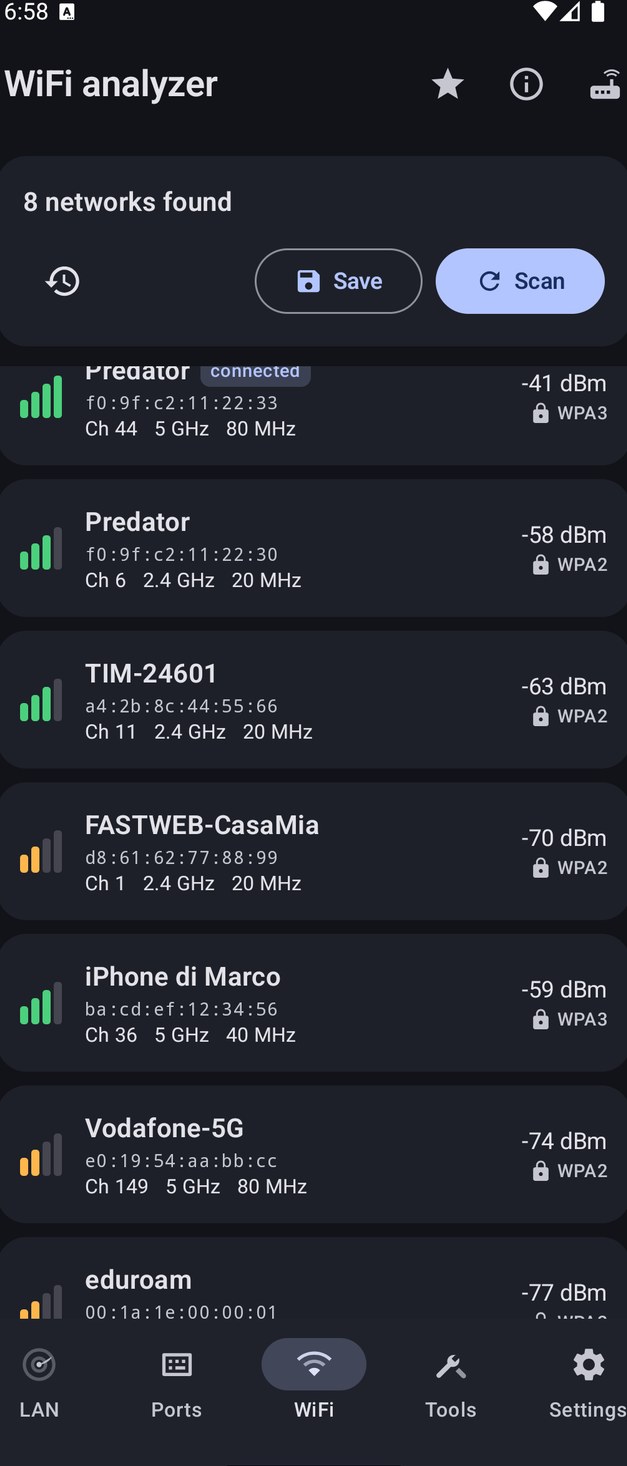
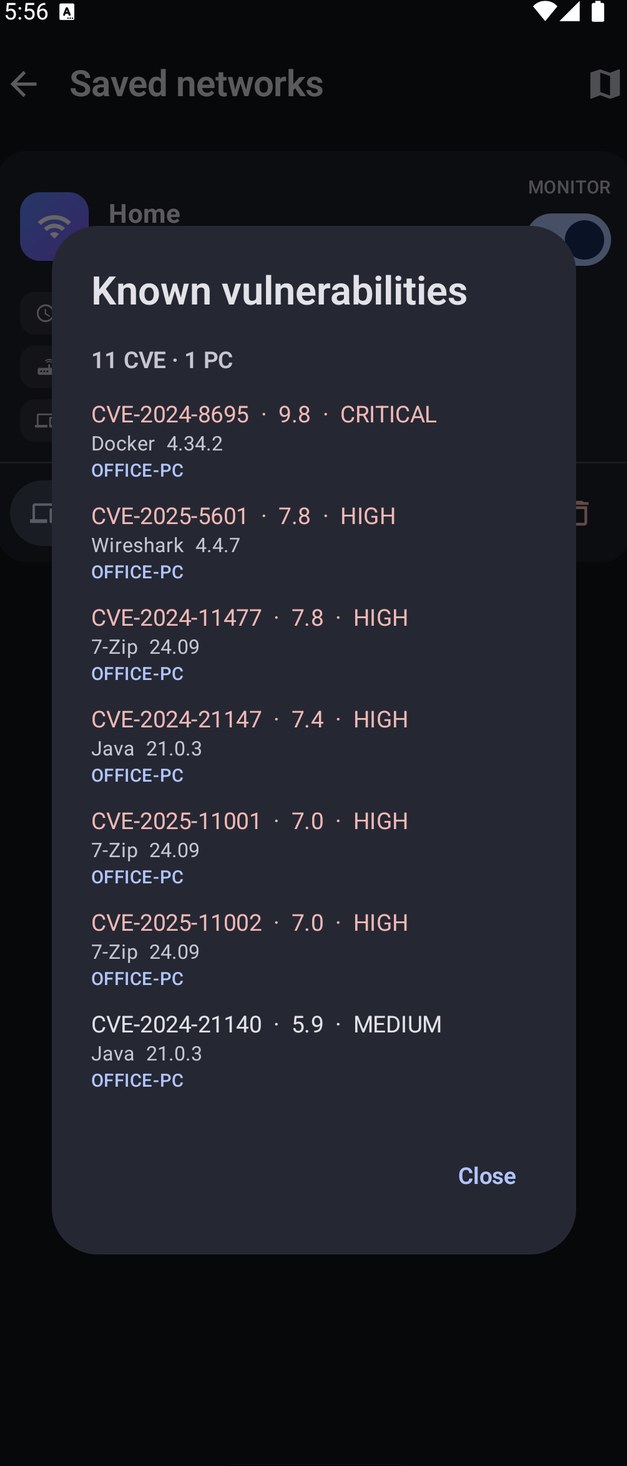
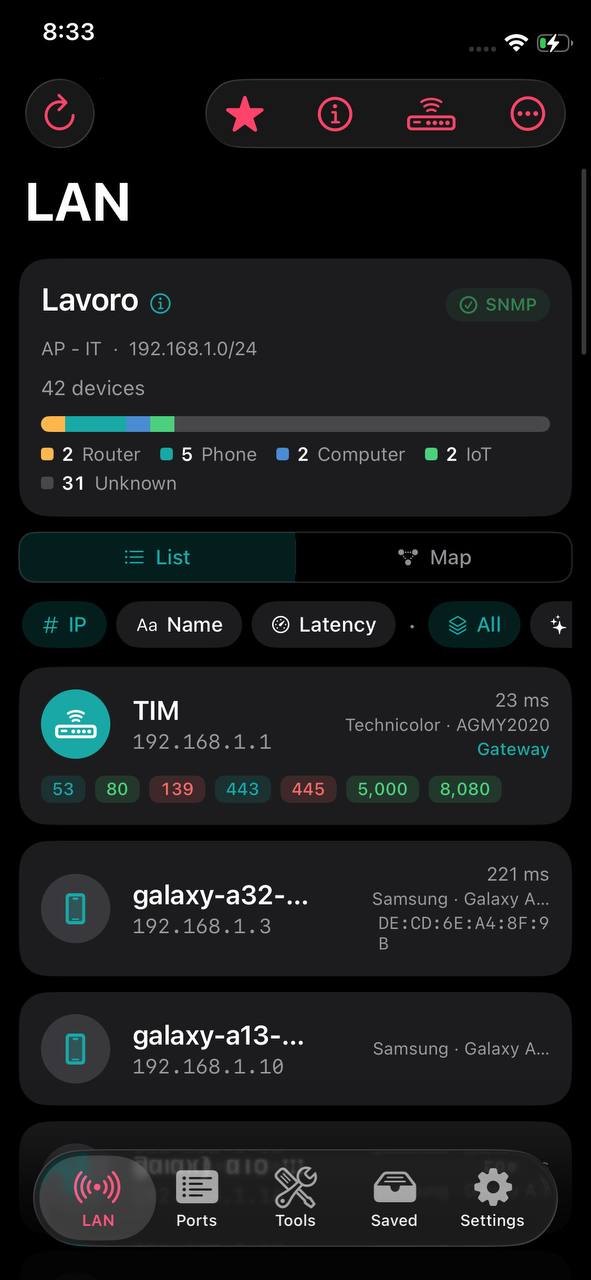
On iPhone the ARP table is closed to apps, so NetBlade asks the router for MACs and vendors over SNMP — for free. Free with ads, and a timeline for every saved network.
Built for people who look after several offices: one site per client, an agent that keeps working with the window closed, reports to hand over and remote actions on PCs.
NetBlade for Windows is an entry-level network inventory and asset-management tool for IT consultants and small offices. It finds every device, reads Windows PCs, Linux servers and network gear with your credentials, installs nothing on them, and tells you what to fix first. Then it writes the report for the owner, with your logo on it.
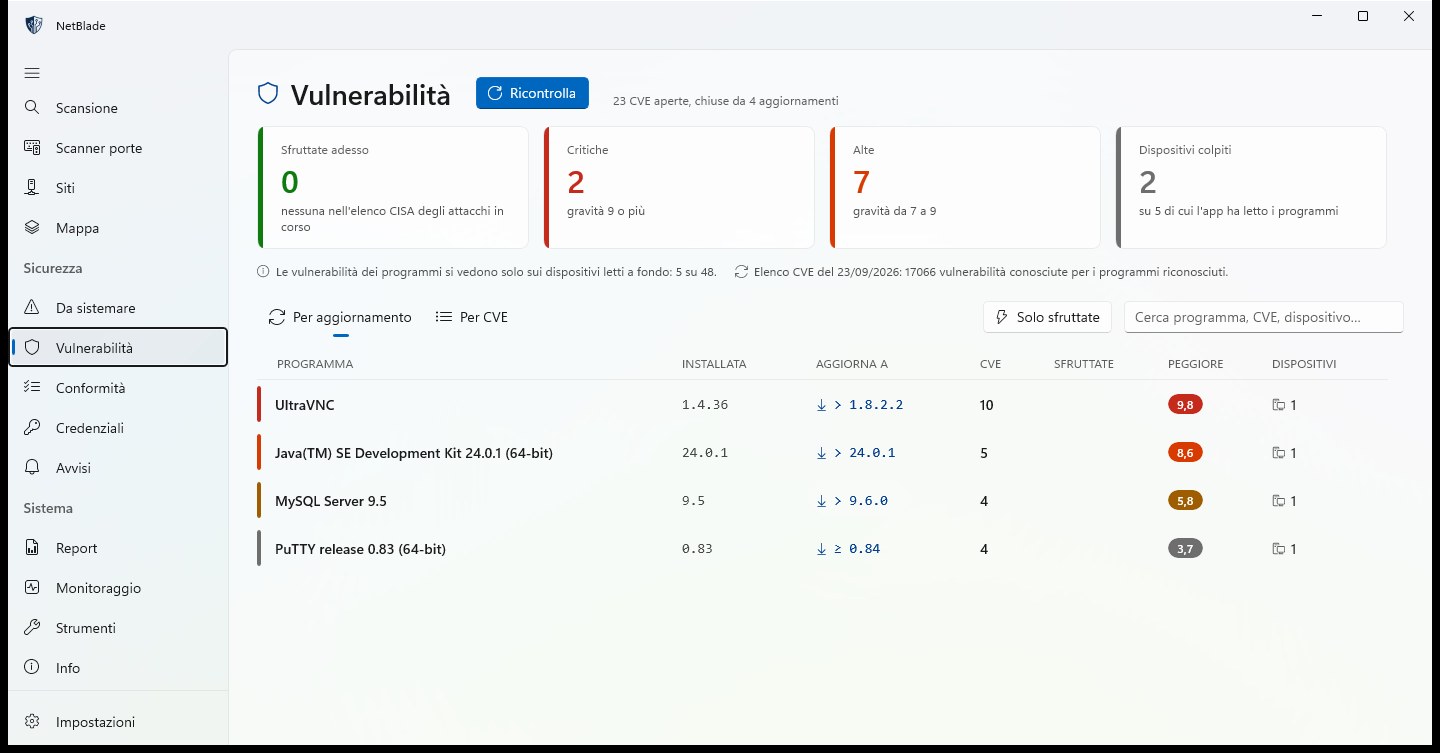
Known CVEs of installed programs, matched by exact version. The «By update» view lists each program with its installed version, the version to update to, how many CVEs that closes and the worst score; the tiles count what is exploited now, critical and high flaws, and the devices affected.
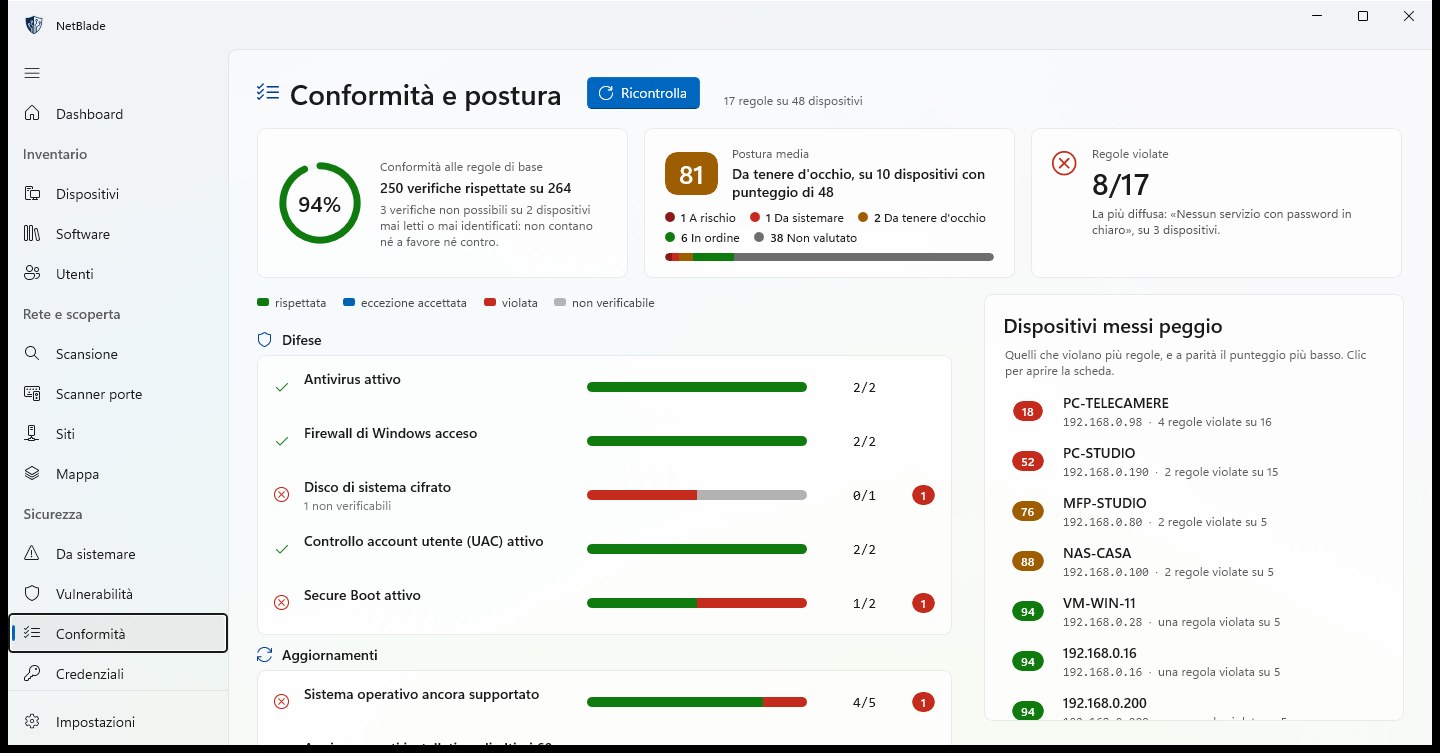
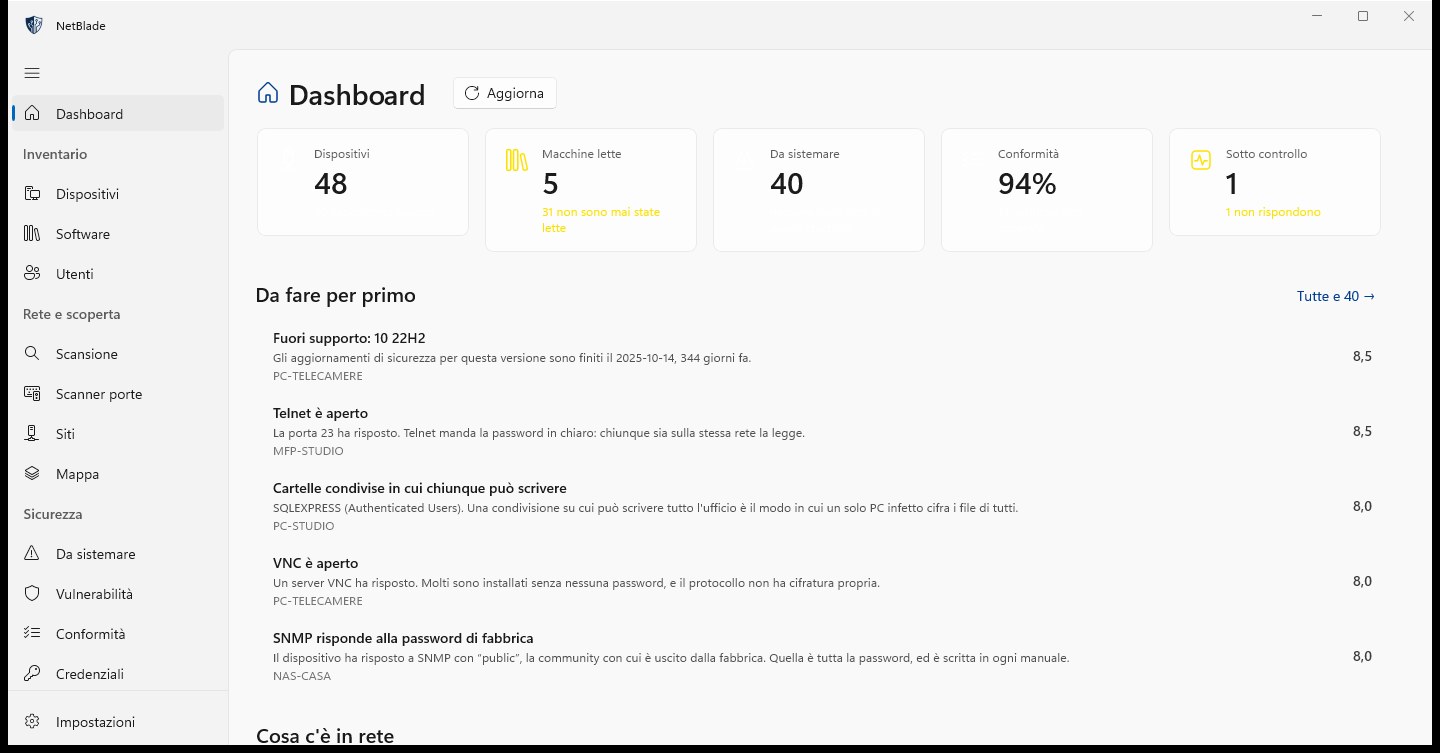
Antivirus on, firewall on, system drive encrypted, UAC, Secure Boot, a supported operating system, recent updates and ten more rules, grouped into Defences, Updates, Access and Network, with CIS Controls v8 IG1 as the reference. You see the share of checks kept, the average posture, the rules broken and the devices in the worst shape.
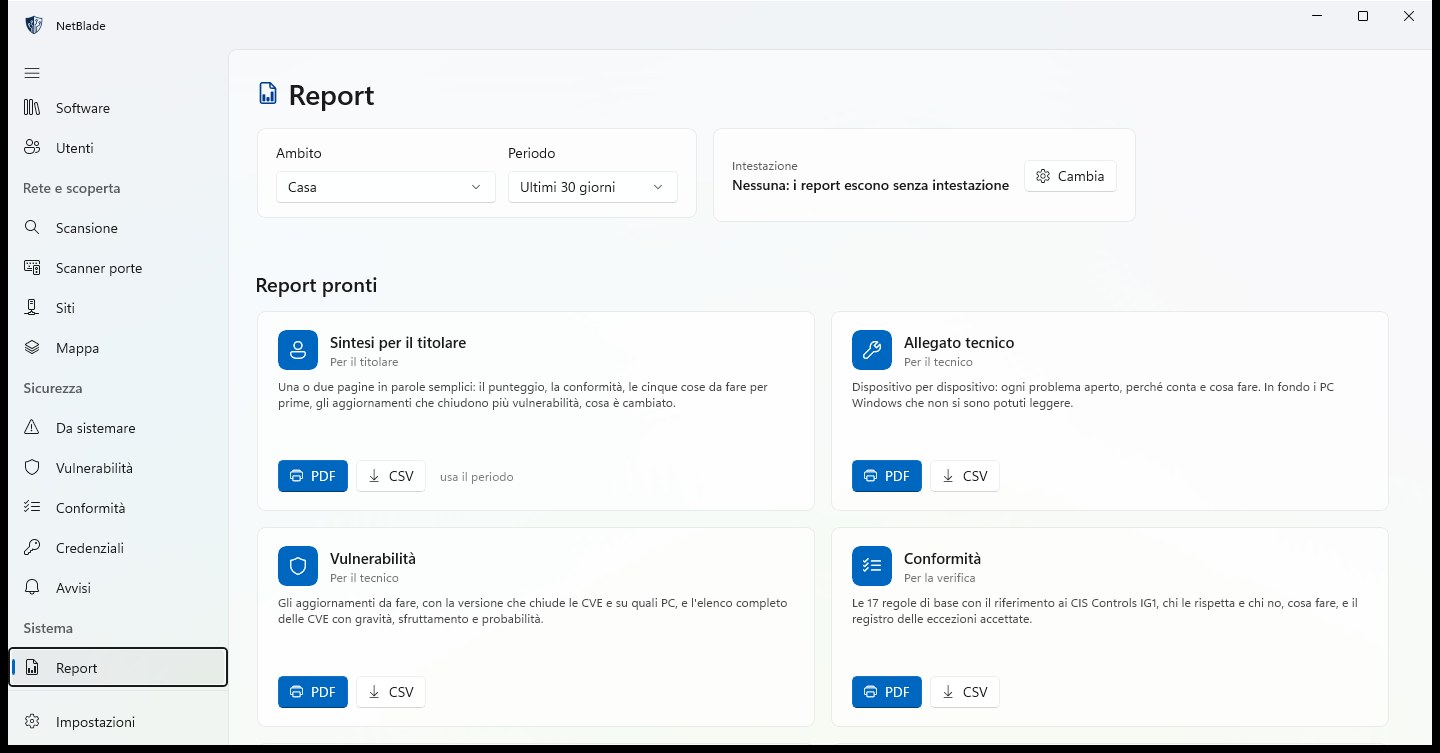
Eight ready-made reports, each in PDF and CSV, for one site or all of them, over 7, 30 or 90 days. The owner gets a summary in plain words; the technician gets the device-by-device annex and the vulnerabilities; compliance and inventories are there for the review.
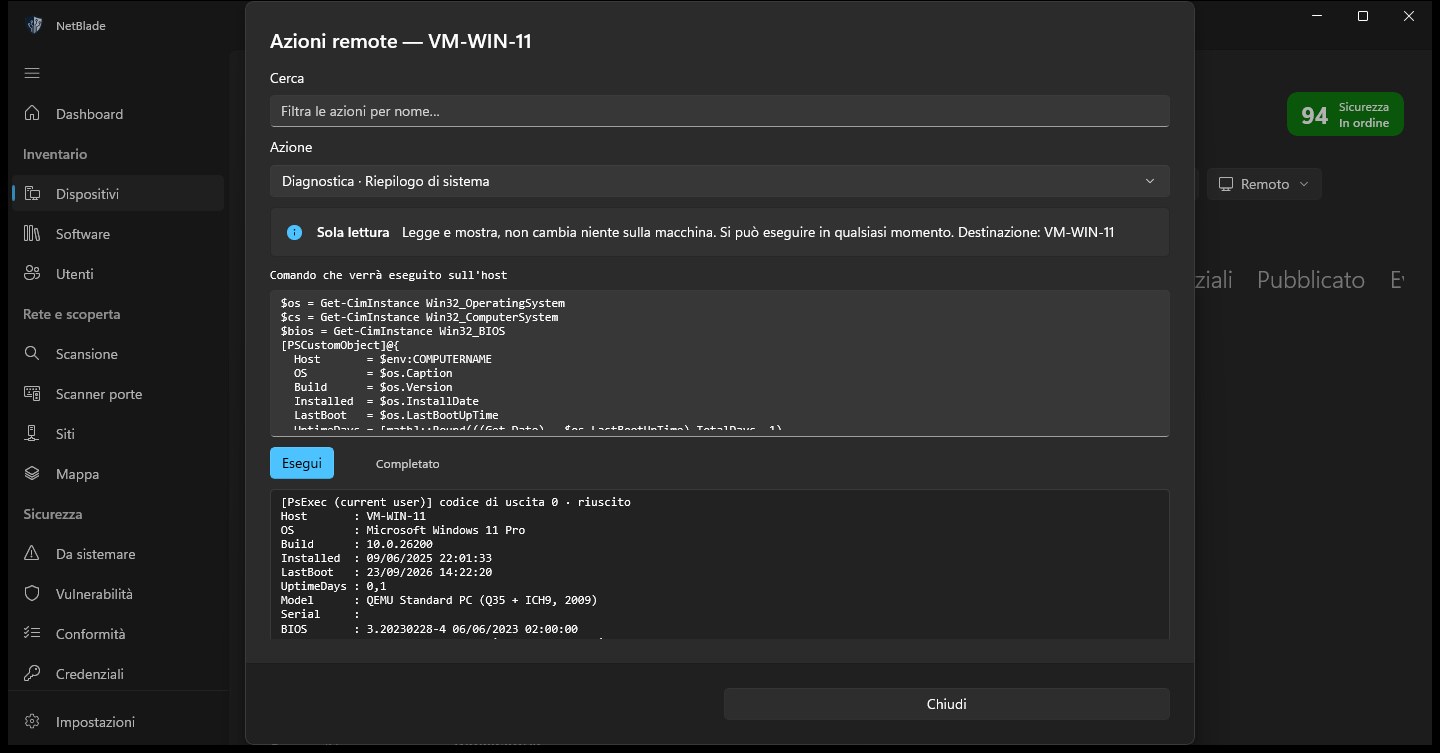
Pick an action from a searchable catalog (diagnostics, network, firewall, services, software through winget, local accounts, Defender, BitLocker, restart and more) and read the exact PowerShell script before it runs. The output comes back in the same window.
Where a system does not allow something, we say so here — and the app says so, on the screen where it would be.
| Android | iPhone | Windows | |
|---|---|---|---|
| Network scan | ✓ | ✓ | ✓ |
| TCP and UDP port scanner | ✓ | ✓ | ✓ |
| SNMP: switches, printers, NAS | Advanced | Free | ✓ |
| Network map | ✓ | ✓ | LLDP · CDP |
| Windows PC inventory, no agent | Advanced | Pro | ✓ |
| Linux inventory over SSH | Advanced | Pro | ✓ |
| Vulnerabilities by exact version | Advanced | Pro | Signed feed |
| Wi‑Fi analyzer | ✓ | Not allowed by iOS | — |
| SSH and file transfer | ✓ | Pro | — |
| Background monitoring and alerts | ✓ | Per-network timeline | Email and webhook |
| PDF reports | — | Pro | 8 reports |
| Compliance, CIS IG1 reference | — | — | ✓ |
| Remote actions on PCs | — | — | ✓ |
| Ads | Banner | Banner | None |
One tap, and every device that answers joins the list: name, address, vendor, response time.
Without a password it asks each one what it is: network name, web page, certificate, public SNMP, open ports.
With your credentials it goes in where needed: WMI and WinRM on Windows PCs, SSH on Linux, SNMP on network gear.
What to do in order of urgency, then the owner's report and the technical appendix.
No account, no server of ours. What NetBlade finds stays on your device.
Scans, devices and history live in a local database. Nothing reaches Innovatek.
In the Keychain on iPhone, the Keystore on Android, DPAPI on Windows.
On Windows the comparison happens on the PC against a signed feed. On the phone only the name and version of recognised programs leave, and only if you turn it on.
Speed test, public IP, WHOIS: outside services are contacted only when you press the button.
Each store is separate: a purchase applies on the platform where you make it.
For whoever looks after a network without an IT department behind them: the home network with its cameras, NAS and smart TV, the small office, the shop, the practice — and the IT consultant who looks after many of them. A sysadmin in a larger company will find it useful too, but you do not need to be one to use it.
No. They share the name and the way of looking at a network, but they are three separate apps: nothing syncs between them and they never talk to each other. What you save on the phone stays on the phone, what you save on Windows stays on that PC, and each purchase or subscription is valid only on its own store. If you need entry-level asset management and network inventory, the Windows edition is the most complete.
No. Windows PCs are read remotely with an administrator account. If a firewall blocks the read, the Windows app gives you a script to run on that PC: it opens only what is needed, only for your computer, and there is one to undo it.
No. NetBlade does not exploit vulnerabilities: it reads what devices expose on the network and what your credentials let you read, and puts it in order.
No. It stays on your device. Only the requests you make leave — a speed test, a WHOIS — and, if you turn on the vulnerability check on a phone, the name and version of recognised programs.
Because iOS gives apps no way to list nearby networks. Instead of an empty screen, the iPhone app focuses on SNMP, for free, and on the timeline of every saved network.
Yes. On a phone you save networks with a name; on Windows each network becomes a site, recognised by its gateway, with scheduled scans and reads.

Download NetBlade and run your first scan. It takes a few seconds.